
We were tasked to create compelling hero images that would become core visuals for upcoming campaigns for PDMC. Using 3D models provided by Autodesk as the base asset, we needed to creatively develop the visuals using a combination of rendered layers, Autodesk technical illustration guidance, and our own initiative.
One other critical element we needed to include was the iLogic functionality. The challenge here was how we would represent lines of code in an image that needed to be engaging, whilst also highlighting the role the code plays in designing the dataset.
These images would be used as a header on landing pages and emails, and in display and social ads.
To produce an engaging hero, we combined renders of different colours and textures of the dataset into a single model which also represent different stages of creating impeller.
We incorporated the iLogic code in two ways: one was to connect it to a blade and highlight how iLogic can determine a single component, and the second was to show the code feeding into the model as a whole to demonstrate the entire dataset can be determined by iLogic.
To finish off, we grounded the image using a drop shadow and added a background mesh in wave form that appeared as though it’s interacting with the impeller.

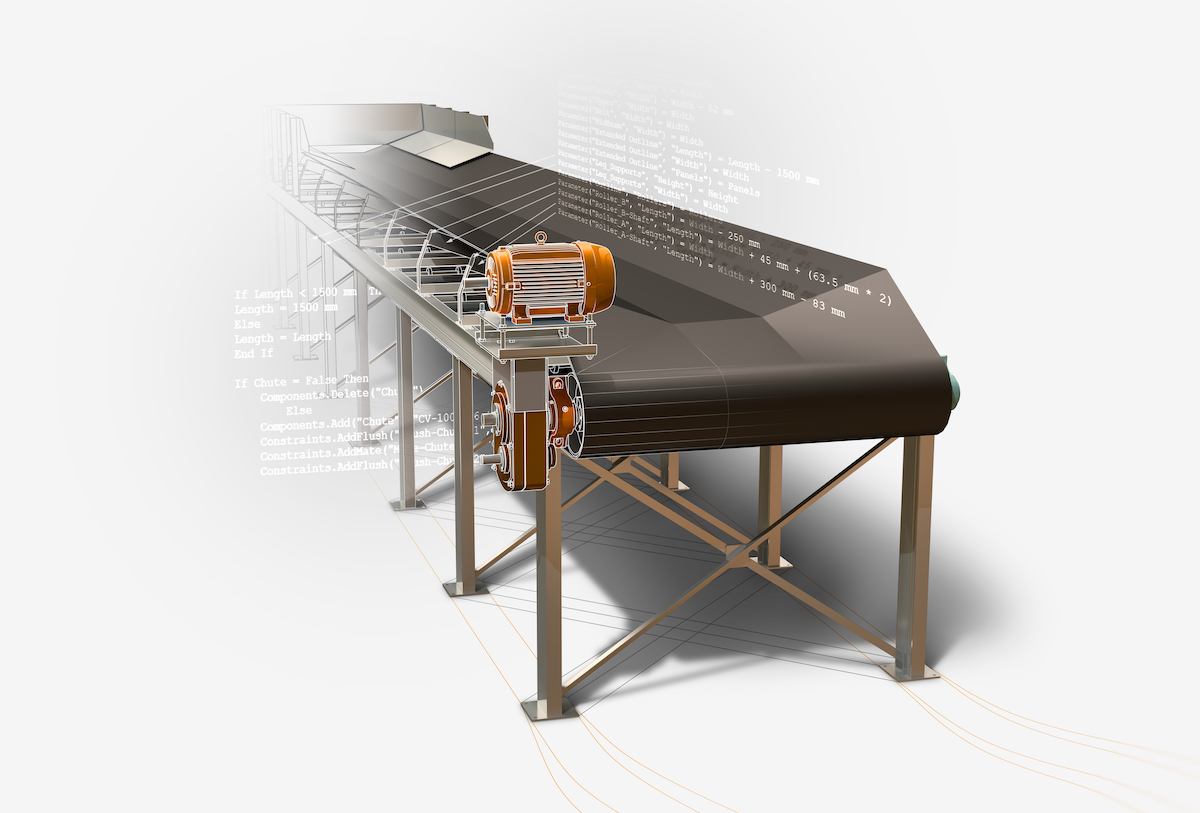
For the conveyor image it was less about layers and more about enhancing the overall model. We adjusted the colour tone to better match the PDMC palette, improved sharpness and textures, and incorporated CAD lines, lighting and shadowing.
iLogic is represented in the ability to automate changes to the length of the conveyor and number of legs. The iLogic code is connected to various components, while the legs toward the back are simply outlines to represent the notion that these can be added if necessary but are not currently needed.
To ground this image we applied the drop shadow, along with flow lines to identify the dataset as being on a surface.